Last updated: July 07, 2026
Configure CatchPulse scan settings
To configure your preferred CatchPulse scan settings
-
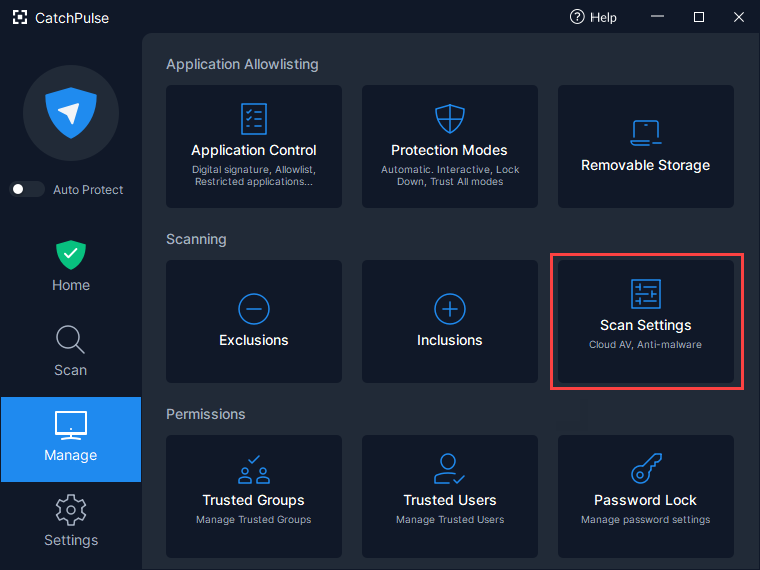
In CatchPulse Main window, click on Manage → Scan Settings.
-
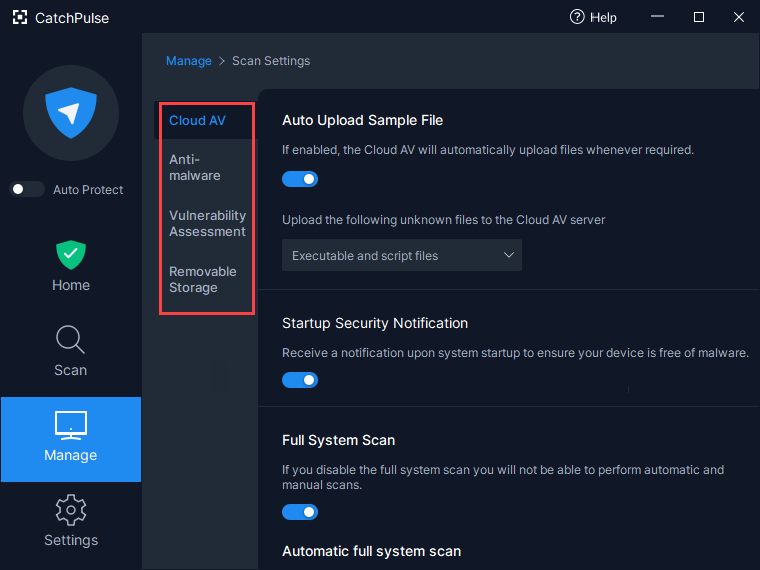
Select the options (Cloud AV, Anti-malware, Vulnerability Assessment, Removable Storage) on the left panel to configure your settings accordingly.