
Adjust AI Scan sensitivity
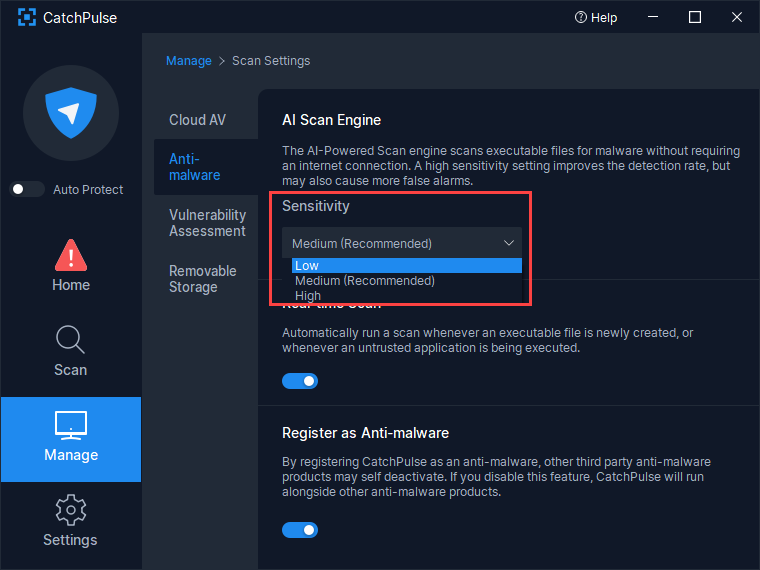
AI Scan sensitivity is a measure of its zealousness in identifying files as malware. A higher sensitivity results in increased detection rate, but with the drawback of higher false alarms (mistaking clean files as malware). While we recommend leaving the sensitivity setting to its default (Medium) for best results, it is possible to adjust it as such:
To adjust the AI Scan Sensitivity
-
Launch CatchPulse → Manage → Scan Settings.
-
Under the anti-malware tab, use the dropdown box under AI Scan to select the level of sensitivity.
Note: This feature is not available for Lite. Lite is set to Medium at all times.
-
The new sensitivity setting will apply to all future scans. There is no need to restart CatchPulse or your computer.
Support and feedback
Should you encounter any issues using CatchPulse with any of the mentioned or missed requirements above, you can write to us at docs@secureage.com.
This page was last updated: May 12, 2026