
Approve New Request Allowlist
Note: This section applies to users who have a valid CatchPulse Pro license
To approve requested CatchPulse allowlists
-
On the main navigation bar, go to
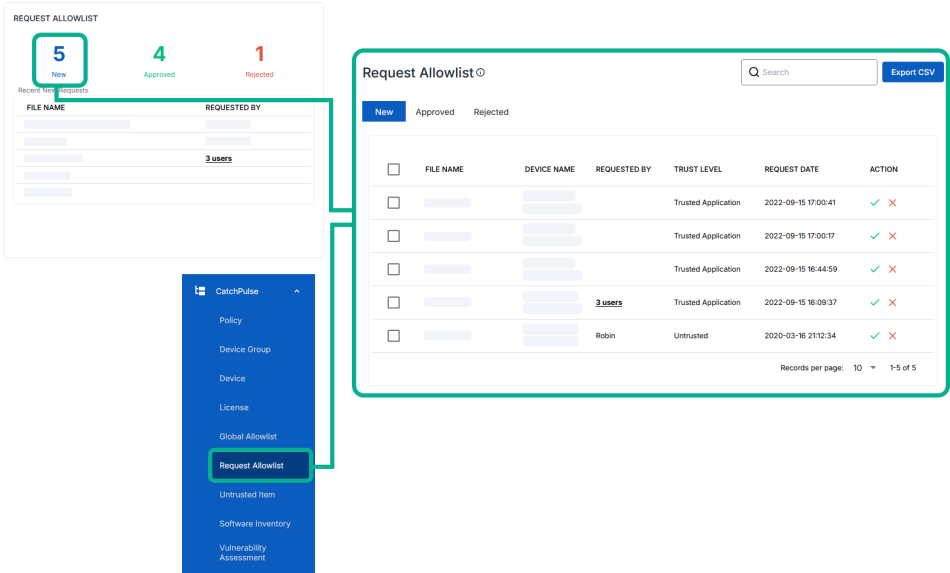
-
Select a New Request Allowlist and click on the corresponding
 icon on the right.
 -
When prompted, add remarks about why you accept this request allowlist and click Save.
If needed, you can add this request to the Global Allowlist by toggling the Add to Global Allowlist option.
The notification panel at the bottom of the page indicates the selected request allowlist has been successfully approved.
More information
Support and feedback
Should you encounter any issues using the SecureAge Central with any of the mentioned or missed requirements above, you can always write to us a docs@secureage.com.
This page was last updated: May 07, 2026