
Export Global Allowlist
Administrators can now export the complete list of Global Allowlists from the SecureAge Central in CSV format. This list includes new, approved, and rejected entries. This feature helps administrators track the history of decisions made on allowlist requests and share specific request types with internal teams or outside auditors if need be.
To export Request Allowlist from SecureAge Central
-
On the main navigation bar, go to .
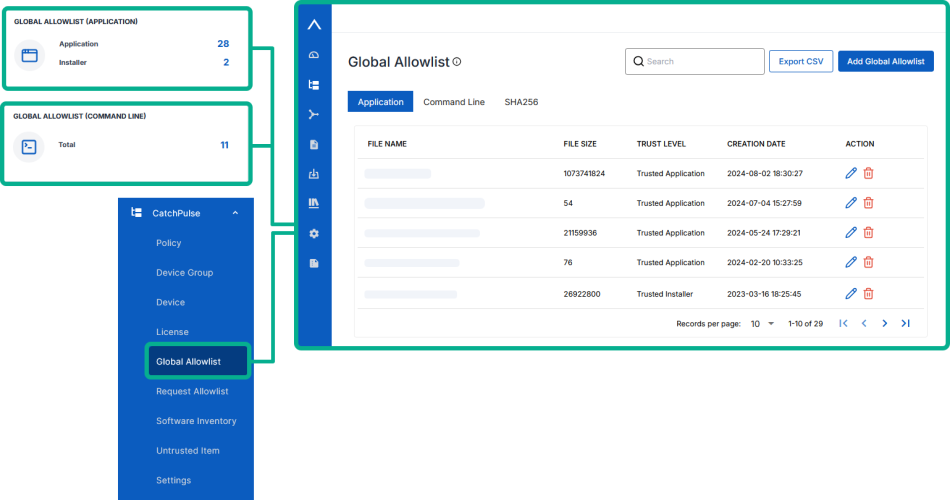
-
The Global Allowlist is organized into three tabs:
-
Application - The list of applications added to the Global Allowlist.
-
Command Line - The list of command line added to the Global Allowlist.
-
SHA256 - The list of SHA256 added to the Global Allowlist.
Click on the relevant tab depending on the list you want to export.
-
-
While on the desired tab (Application, Command Line or SHA256), select Export CSV on the top-right corner of the page.
SecureAge Central generate and download a .csv file containing the full list displayed under the selected tab.
More information