
Set the default action when the USB storage device is inserted
CatchPulse has built-in features to protect against attacks from removable devices. Besides preventing read & write access from external removable storage devices, users can also define how CatchPulse will act upon detecting access from one.
To select the action when an external removable storage device is inserted to the machine
-
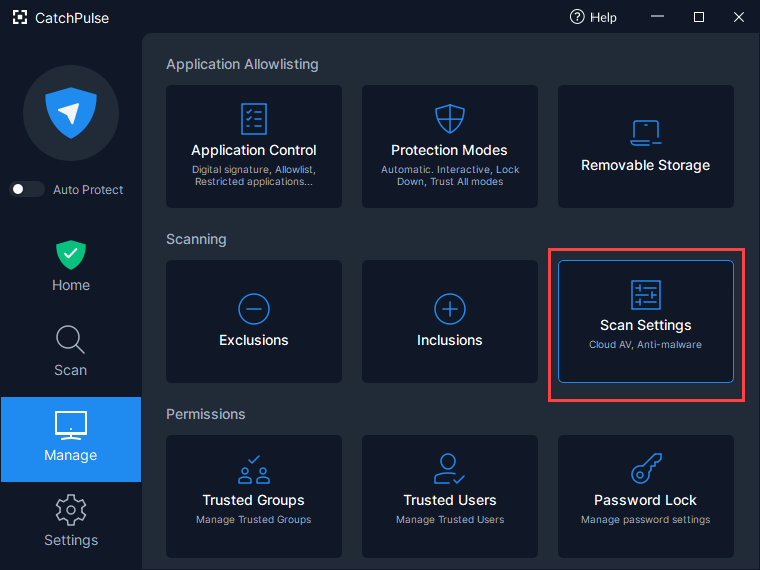
Launch CatchPulse → Manage → Scan Settings.
-
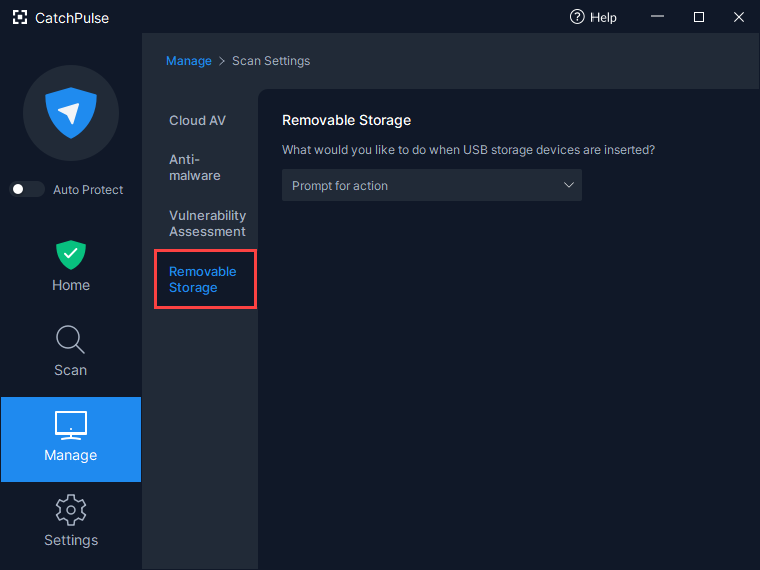
Click on Scan Settings and select the Removable Storage tab.
-
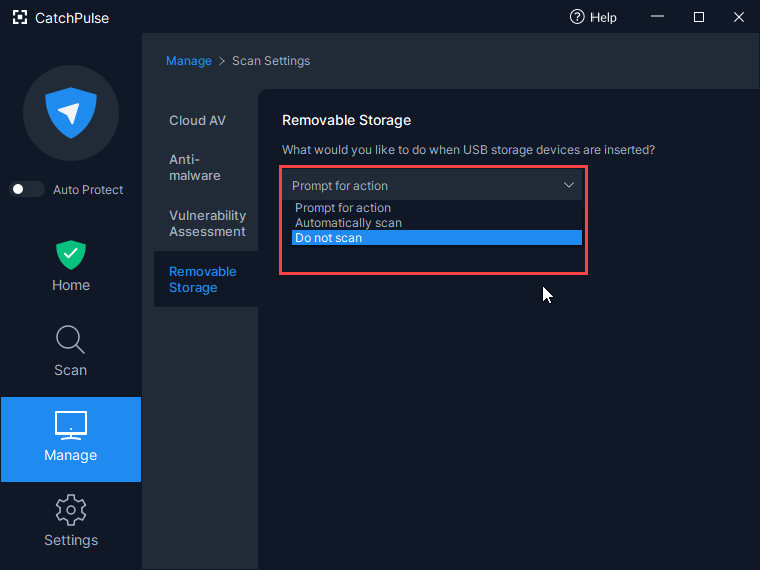
Under On removable storage device insertion drop-down list, select Prompt for action / Automatically scan / Do not scan
Support and feedback
Should you encounter any issues using CatchPulse with any of the mentioned or missed requirements above, you can write to us at docs@secureage.com.
This page was last updated: January 02, 2026