
Using CatchPulse Policy
Understanding how you want CatchPulse to operate within your organization is important before establishing policies. This involves identifying the specific features and functionalities that your organization requires to align with its objectives. By doing so, it will enable you to create policies that are well-informed, relevant, and efficiently enforced.
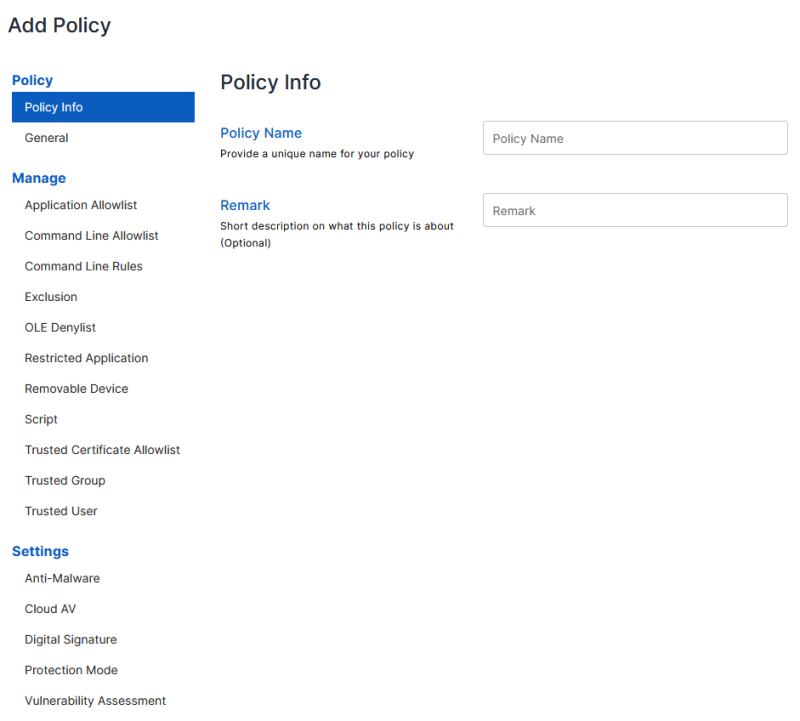
When you select a policy feature component from the left navigation, the properties that describe that component are displayed.
-
Provide policy information to define and document new policies accurately.
-
Customize the features of CatchPulse to meet the specific needs of your organization.
-
Modify CatchPulse settings according to your organization's preferences. Adjust Protection Mode, which ensures that your system is secure from external threats, Digital Signature to verify the authenticity of digital documents or messages and customize the Log settings to record and monitor all activities on your system.
More information